Archive for the ‘DirecTV’ Category

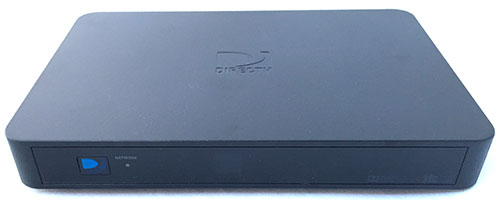
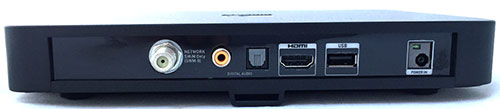
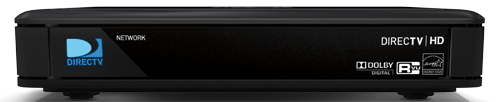
Latest Update on the DirecTV TiVo HD

Posted on December 15th, 2009, by Michael

There’s no question we get asked here at WeaKnees more than “When is the new DirecTV TiVo HD coming out?”

Man, do we wish we had a good answer.

Both DirecTV and TiVo have generally only gotten as specific as “2010.” And that’s all we’ve been able to repeat to everyone.

But, recently, DirecTV has posted a couple of tweets that narrow down the 12 month window to, maybe, a four month window. They’ve used the terms “early next year” and “first part of 2010″ in their posts.

Yes, this is important breaking news, and it’s definitive.

Now, if only we had some clue as to features, pricing, looks, availability, etc. . .

DIRECTV abandons the Zinwell WB616 (6×16) Multiswitch; We’ve Got Solutions!

Posted on November 17th, 2009, by Jeff

Without any warning, DIRECTV or Zinwell (not sure who’s really responsible, but we’re assuming DIRECTV) stopped production of the Zinwell WB616 (also called a WB 6×16 and WB616WB-Z) multiswitch. This device is a powered multiswitch that takes 4 lines from a 5LNB dish and enables you to power 16 tuners.

With the demise of this switch, we have received calls and emails from many installers looking for a solution. When we ran across an eBay auction from some clown charging $1 for a solution, we decided to put up a post, kind-hearted souls that we are.  Just can’t bear to have the eBay guy make his $1!.

(Here a link to the auction for those who read this post within the period that eBay keeps the auctions up.)

If you’re needing to connect more than 8 tuners to a single dish, there are multiple options:

1) Go SWiM (with an E2 Chassis)! DIRECTV hasn’t made SWM (single-wire multiswitch) equipment readily available to residential customers, but we have a full line of DIRECTV SWM equipment available.  I confess that the SWM approach is more expensive than a 6×16, but it is a very reliable solution. Rather than using a 6×16, you’d purchase a SWM E2 chassis and two SWMs. We offer a SWM E2 package that includes what you need.  You will also find this SWM E2 wiring diagram handy.

2) Go SWiM (with four 1×2 splitters)! If you want to use SWMs on the cheap (or at least cheaper than the E2 package), then you can purchase 4 1×2 high frequency splitters and use 2 SWMs. See the wiring diagram for this setup (wiring is critical with 1×2s–check this diagram carefully).  This is not the best approach, because you’ll have more dB loss with splitters than with the E2 chassis, but it might be worth a try if your runs (from dish to splitters/SWMs and from SWMs to receivers) are reasonably short. If you have a long-ish run from dish to splitters/SWMs (say, >40 ft, although the exact numbers are fuzzy and depend on, among other things, your cable quality), you might also need a polarity locker, and possibly a DIRECTV amplifer with LEDs. Obviously, the addition of this equipment can add significant cost to this approach. If you have the luxury of time, you might try it with the 1×2s, and then add the other equipment if you are having signal issues.

3) Use a pair of 6×8s (with four 1×2 splitters). Instead of SWMs, you can use two WB68 multiswitches and four 1×2 splitters. I’m quite sure that this is what the eBay guy was going to charge you a buck to tell you. Basically, this setup is the same as the one in #2 above, but rather than using 2 SWMs, you’d use two 6×8s. See this wiring diagram, which isn’t perfect, but it shows one 6×8 and one SWM. If you are using two 6×8s, you’d just substitute a WB 6×8 for the other SWM.  Same caveat about the polarity locker and amp apply here.

4) Use a tap instead of splitters. A middle-of-the-road approach is to use two WB68s and a DIRECTV-approved satellite tap. The tap is a fancy (and more expensive) way of splitting 4 satellite feeds.  The tap has less dB loss than using four high-frequency splitters  and may enable you to run without an amp and polarity locker.

So there you have it–four substitutes for the WB616 Zinwell switch. If you have any questions, feel free to contact us with questions or use our new online chat!

Now Selling LNBs and SWM LNBs Separately

Posted on October 6th, 2009, by Michael

We’ve been getting more and more requests for LNBs for DirecTV dishes. The LNB is the portion of the dish assembly that receives the signal from reflector and transmits it down to the receivers. We now sell both SWM LNBs and non-SWM LNBs separately.

sl5s-large

In many cases, if you have an AU9 reflector set up, you can switch the LNB to either go to or from a SWM system. So if you want to have a SWM dish, you could swap out the LNB (our SWM LNBs include the necessary power inserter) and then the one remaining wire coming off the dish would carry up to eight tuners-worth of data to make internal expansion easier, or to get two signals to a DVR that only has one wire.

Conversely, if you have a SWM dish and you want to go to a regular non-SWM dish, you can do that too. Why would you want to do that? The SWM dish is less expandable than a non-SWM dish with a SWM8. Using a standard 5LNB dish can enable more than eight tuners-worth of data (essentially, unlimited) with our SWM expander products.

Of course, another reason you might want a new LNB is just because you want channels that are available on a 5LNB system and you have a 3LNB system using the same reflector. So you could swap out with a 5LNB unit, and gain access to channels on the 110 and 119 satellites.

Finally, you might just need to replace a failing or broken LNB.

Please note that anytime you replace an LNB, you do risk mis-aligning the reflector.

And if you have more questions about SWM in general, please see the info over at SWM8.com.

DirecTV Double Play – Dual Live Buffers on HR2x HD DVRs!

Posted on September 4th, 2009, by Michael

Well, it finally happened. DirecTV enabled dual live buffers on the DirecTV HD DVR. So that’s the HR20, HR21, HR22, HR23, and HR21 Pro. If you’ve got the latest software update, you can now have a buffer of two shows at once, without any fancy remote gymnastics.

If you’ve gotten the latest OS update, you’ll be seeing this screen soon:

double-play-1

Then, when you’re watching your first show, you just press the Down arrow, and you’ll see this screen:

double-play-3

Of course, I chose a bad program in the background there, because these results DON’T last. For whatever reason, DirecTV implemented this in a way that it dies on its own after two hours. So the next time you sit down at your TV, you’ve got to re-enable the feature. That’s as simple as just pressing the Down arrow and then OK again, but it seems silly, and it means that if you’re recording two shows at once, you don’t really get live buffers.

Here’s the screen with those details:

double-play-4

Anyway, even with a bit of a hitch, it’s still a great feature.

Another Customer Wish NOT Granted: DirecTV and DVD

Posted on August 20th, 2009, by Michael

While we’re on the theme of what customers want but they can’t get, we should put to rest another request: the DirecTV TiVo with DVD.

Yesterday’s installment concerned the request for an HD TiVo with DVD. That one can’t work at this point and probably in the future for technical reasons.

But the idea of a DirecTV DVR with an integrated DVD burner really, really could work for technical reasons. The issue here is more about copyright, and, in general, DirecTV’s unwillingness to push the envelope with content providers.

Why is this different from a standard TiVo with DVD which does, in fact, exist? The big reason is that on the Humax models that we sell (and on the older Pioneer and Toshiba TiVo models with DVD) the recordings are made from analog inputs. That means that the quality, while very good, isn’t quite as good as the all-digital quality of recordings to DirecTV TiVos and other DVRs and the HD TiVos with CableCARDs. If you take that all-digital signal and pump it to a DVD, then you’ve basically got a digital copy that’s pretty amazing. DirecTV doesn’t want to be the gatekeeper on that.

Of course, if that’s what you really want – all digital copy to a DVD – then there is a way to do it, just not with DirecTV. You can get a standalone TiVo or HD TiVo and copy your shows over a network to your PC or Mac, then burn them there. But DirecTV won’t help you there – at least, so far. There’s a chance that the upcoming DirecTV HD TiVo will have networking features . . .